

Complete Guide to AI Video Translation: Top Tools for 2025
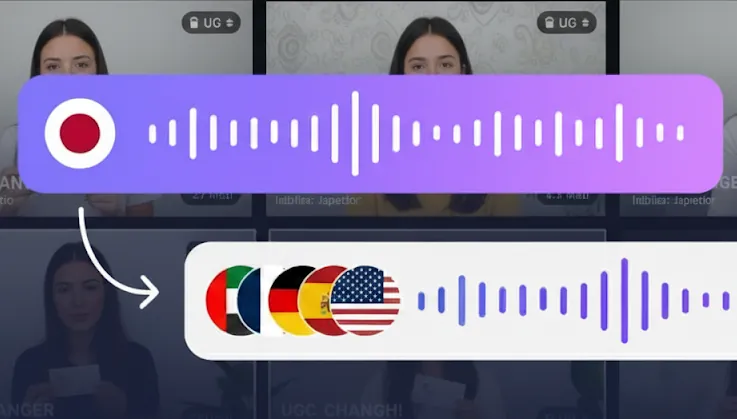
Video is how most brands now introduce themselves to the world — and language is where that introduction usually stops. A campaign that performs in English rarely travels on its own, and re-shooting per market is out of reach for all but the largest advertisers.
AI video translation closes that gap. One source video becomes many: translated subtitles, dubbed audio in the speaker's own cloned voice, and lip movement adjusted to the new language. This guide covers what separates a serious localization platform from a transcription tool with a translate button, which tools are worth your time, and what the whole thing costs.
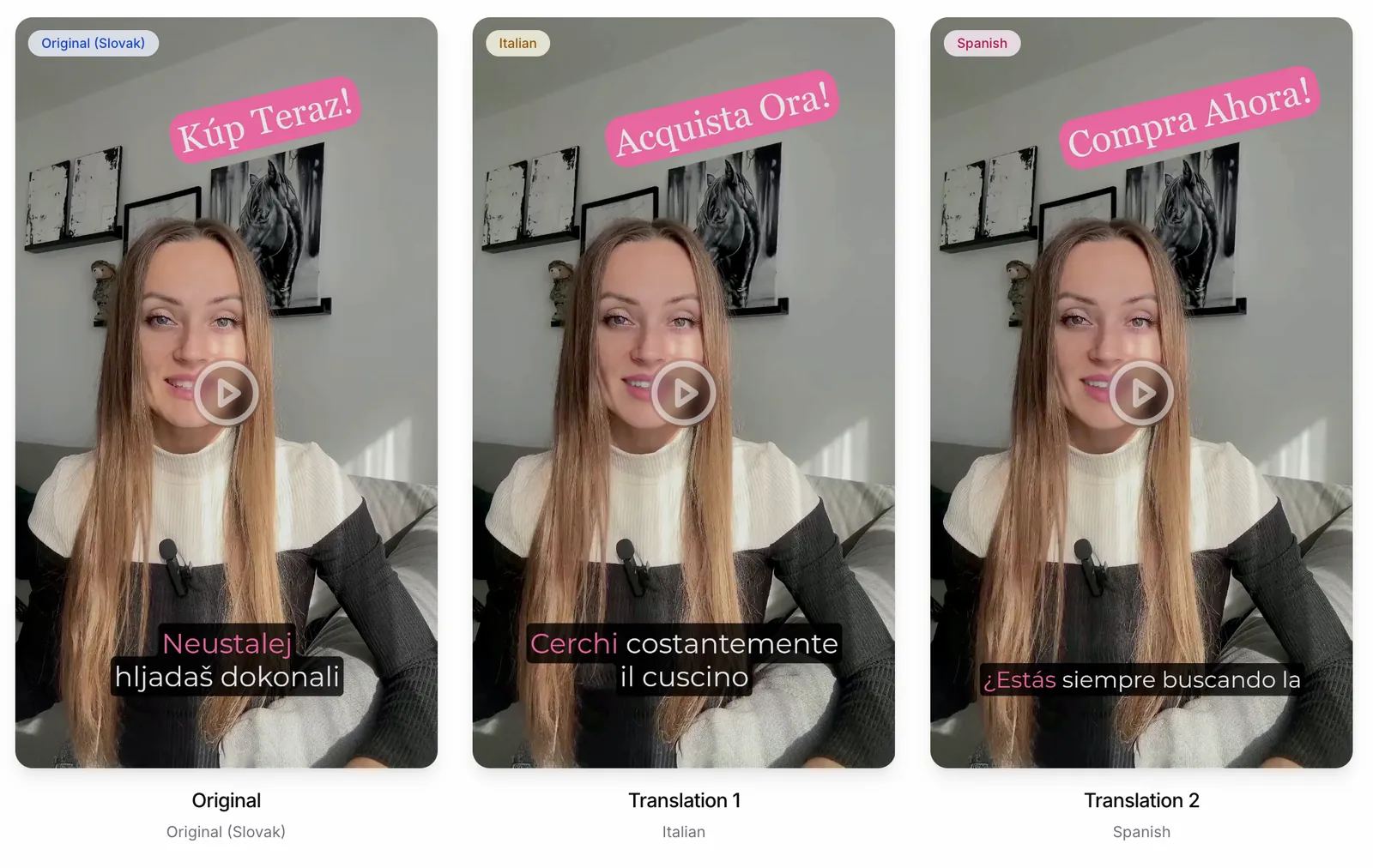
Why Video Localization Stopped Being Optional
CSA Research's consumer study found that 76% of online shoppers prefer product information in their own language, and 40% will not buy from a site in another language at all. For anyone spending on video ads across TikTok, Instagram Reels or YouTube, that is not a nice-to-have insight — it is the difference between a market that converts and one that quietly burns budget.
Traditional localization struggled on four fronts:
- Turnaround measured in weeks, which kills reactive and seasonal campaigns
- Cost per language, which made testing a new market an expensive bet
- Inconsistency between language pairs and between agencies
- Scale, because every new video restarted the whole process
AI localization attacks all four at once. What it does not do is remove the need for judgment about what gets localized and how carefully it is reviewed.
What Separates a Real Localization Platform from a Translate Button
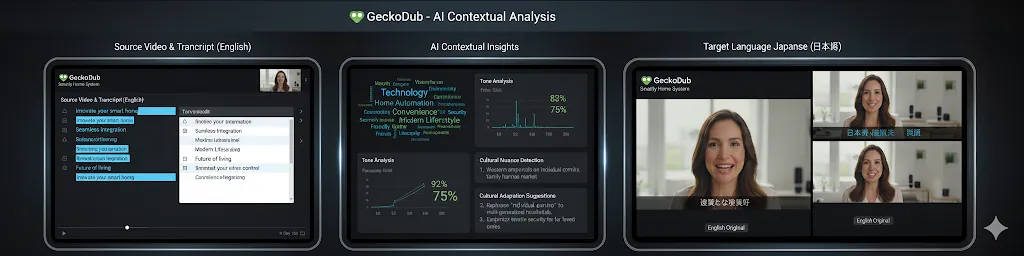
Contextual translation, not word-for-word
Marketing copy is the hardest thing to translate well. A literal rendering of a headline loses the rhythm that made it work, and product names, claims and idioms need handling rather than translating. The platforms worth paying for analyze the whole script for context, respect a brand glossary, and let you correct terminology before anything renders — see contextual translation for how that differs from machine translation.
Voice cloning that preserves delivery
Translated text read by a stock voice sounds like a translated ad. Voice cloning reproduces the original speaker's timbre, pace and emphasis in the new language, so a creator still sounds like themselves. That matters most for testimonial and UGC formats, where the whole proposition is that a real person is talking to you. How voice cloning works covers the mechanics.
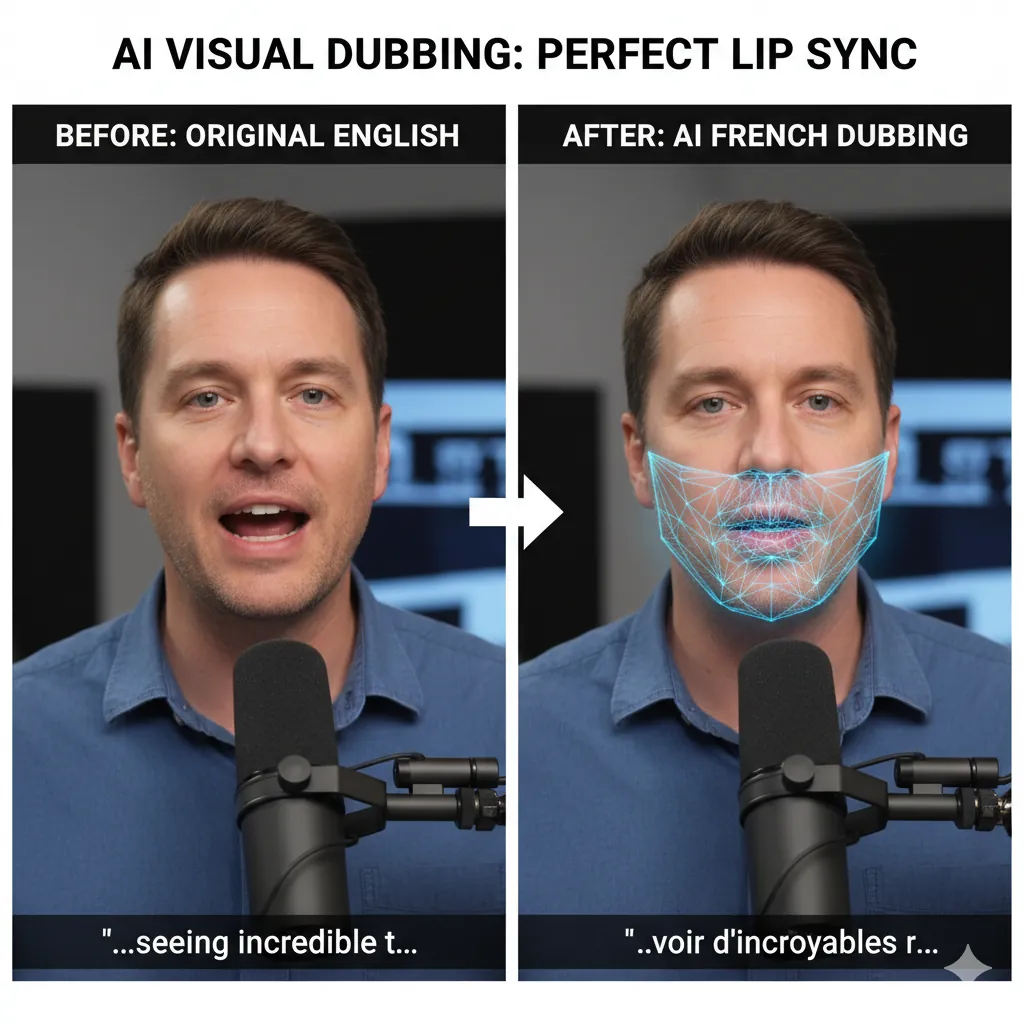
Lip-sync for face-to-camera footage
If the speaker is on screen, dubbed audio alone gives you the old foreign-film effect: the words and the mouth disagree, and viewers register it within a second or two even if they cannot say why. Lip-sync adjusts mouth movement to the translated audio. It is unnecessary for voiceover-driven content and close to essential for talking-head ads.
Multi-speaker handling, subtitles and export quality
Real ads have two people in them, background music, and a hard export spec. Check for multi-speaker detection, animated subtitle styling that survives vertical crops, and export quality that does not degrade the source.
Eight Tools Worth Evaluating
1. GeckoDub — end-to-end ad localization
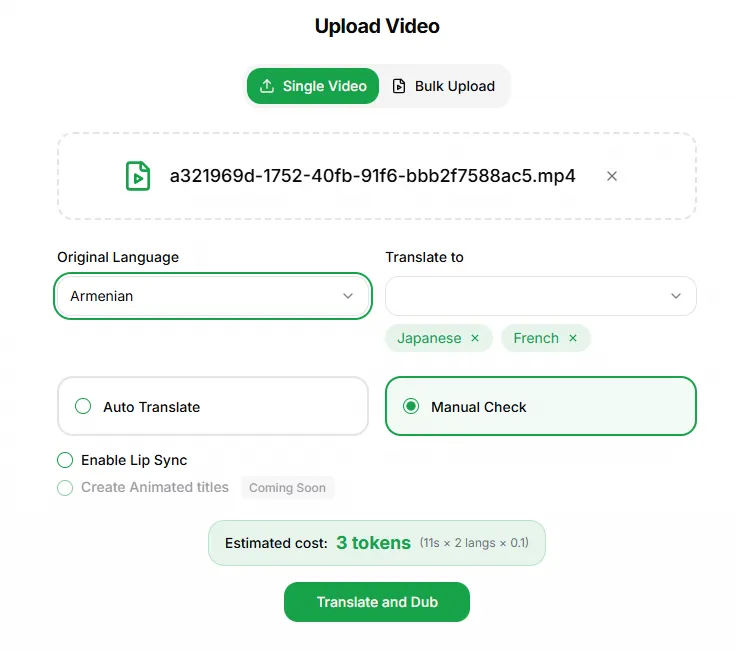
Built specifically for translating video that already exists and already performs. Voice cloning, GoSync lip-sync, animated subtitles, brand glossary and proofreading in one pass, across 70+ languages, with bulk upload for shipping a campaign's worth of variants at once. An EU company with EU cloud hosting — GDPR is the home regime — which matters when the asset is a named creator's voice and face.
Pricing is token-based: Starter at €25/month (100 tokens, about 13 minutes), Creator Pro at €79/month (350 tokens, about 45 minutes) and Scale at €199/month (1,050 tokens, about 155 minutes). Every plan includes the same features; the tiers differ only in token allowance, top-up discount and support level (email, priority support, dedicated account manager). There is a free trial with a watermark. Current details on the pricing page.
Best for: brands and agencies localizing ads, UGC and product video across markets.
2. HeyGen — avatar generation plus translation
Strong AI avatar platform that has added voice cloning and lip-synced translation, with very broad language coverage. Everything is priced in credits shared between avatar generation and localization, which makes forecasting awkward if you do both. Full numbers in our HeyGen pricing breakdown.
Best for: teams producing presenter videos from scripts as well as translating footage.
3. ElevenLabs — best-in-class synthetic voice
Excellent voice quality and an API developers like. Dubbing is one feature among many drawing on a shared credit balance, and editing a translation costs several times more per minute than automatic dubbing. No lip-sync. See the ElevenLabs dubbing pricing breakdown.
Best for: audio-first work — podcasts, narration, audiobooks.
4. Rask AI — long-form single-speaker dubbing
Handles hour-long YouTube content well with solid voice cloning. Lighter on batch workflows and campaign management. Details in our Rask AI pricing breakdown.
Best for: creators dubbing long-form channel content.
5. Descript — editing suite with translation attached
Video and audio editing built around a transcript, with voice cloning included. Translation and lip-sync are secondary to the editing experience rather than the point of the product.
Best for: creators who want editing and light translation in one place.
6. Canva — translation bundled into a design plan
Subtitle translation across a very wide language list plus basic dubbing, all drawing on one shared AI allowance with no lip-sync. Convenient if you already live in Canva. See our Canva video translator pricing guide.
Best for: occasional translated subtitles alongside design work.
7. Sonix and Trint — transcription and subtitles
Both are accurate transcription platforms with good editing interfaces and multilingual subtitle export. Neither does dubbing or lip-sync.
Best for: subtitle-only workflows and media teams that need clean transcripts.
8. Rev — human translation
Human translators and quality control, with the cost and turnaround that implies. Still the right answer for regulated claims, legal content, or a flagship brand film where a single awkward phrase is unacceptable.
Best for: high-stakes content that needs a human signature on it.
What It Actually Costs
Traditional localization
Quotes vary enormously by market and by agency, but the shape is consistent: professional voice talent, studio time, editing and sync, plus project management, all billed per language and per video. A single ad localized into four languages typically becomes a four-figure invoice and a two-to-four week timeline. The cost scales linearly — nothing about doing the fifth language is cheaper than the first.
AI localization
A subscription in the tens of euros per month covers a working volume of translated minutes, with turnaround measured in minutes rather than weeks. Per-video cost falls as volume rises, because you are buying capacity rather than commissioning labor.
The honest comparison is not "AI is cheaper." It is that AI makes localization a testable channel: cheap enough to try five languages, measure, and keep the two that work.
How to Run a Localization Program That Works
- Start from what already performs. Localization amplifies; it does not rescue. Pick your best-converting creative in your home market.
- Pilot small. Two videos, two languages, one platform. Judge the output with a native speaker, not with your own ears.
- Fix terminology once. Load product names, claims and brand terms into a glossary so every subsequent video inherits them — that is what Smart Translation Control is for.
- Review before render, not after. Correcting a script costs nothing; re-rendering a batch costs time and budget.
- Measure per language. Compare CPA and ROAS by market rather than in aggregate, then scale into the markets that respond.
The Short Version
The tooling question resolves fairly cleanly by use case. If you need presenter videos generated from scripts, use an avatar platform. If you need audio, use a voice platform. If you need subtitles, use a transcription platform. If you need the video you already have to work in another market — with the original speaker's voice, correct terminology and mouth movements that match — use a tool built for that job.
Ready to see how your own footage sounds in another language? Try GeckoDub free and localize your first video today.
Ready to go global?
Translate your videos into 70+ languages with AI-powered dubbing that sounds natural.
Try GeckoDub free →